For your clients

Their own view.
Your rules.

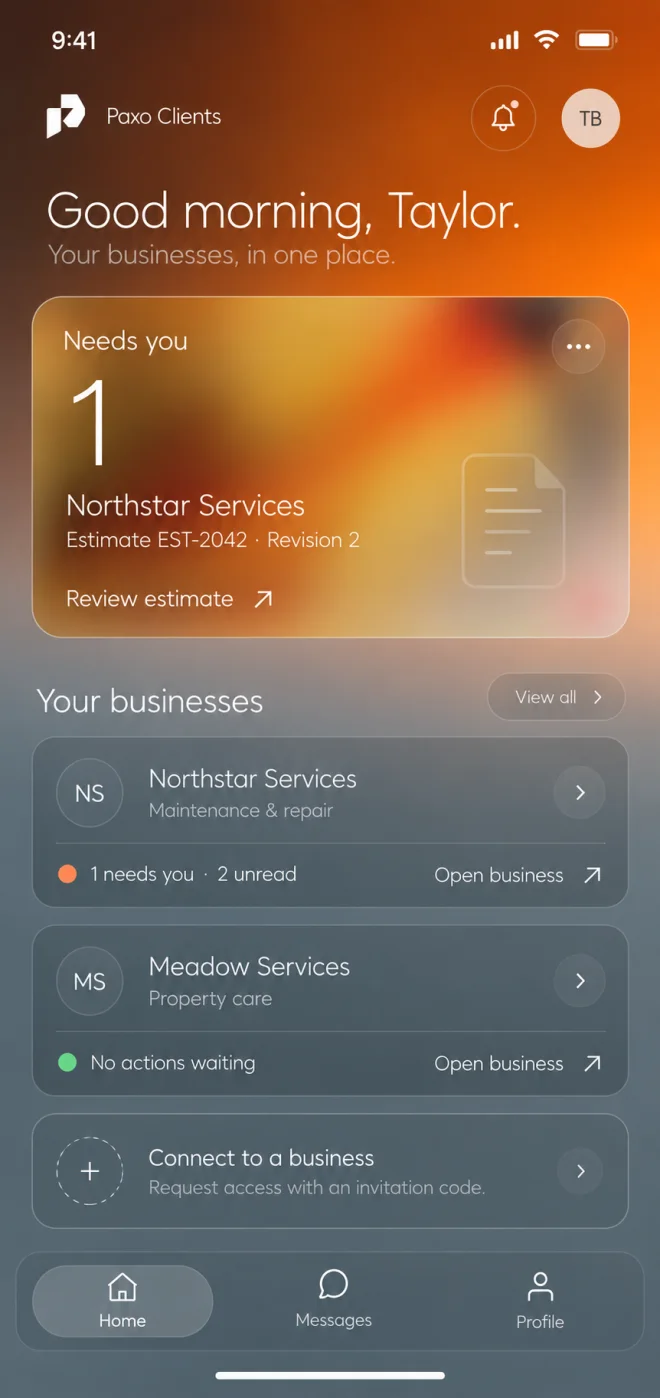
Paxo Clients is a separate app for your customers. They sign in with their own account, see only what you share and use the same app with every business that invites them.

Paxo Clients home with example records: items that need the client and two fictional connected businesses.
Product preview · example recordsClients home across businesses

A separate client account

Clients sign in with a one-time code. They never use or see your team's accounts.

Access you grant

Each business invites a contact and chooses what they see, for one job or the whole account.

One app, many businesses

A client can connect to several businesses. No business sees the others.

Shared jobs

Job status without the phone call

Clients see the jobs you share, grouped by stage in plain words. Internal notes, tasks and hidden jobs never appear, and the view updates when your team moves the job forward.
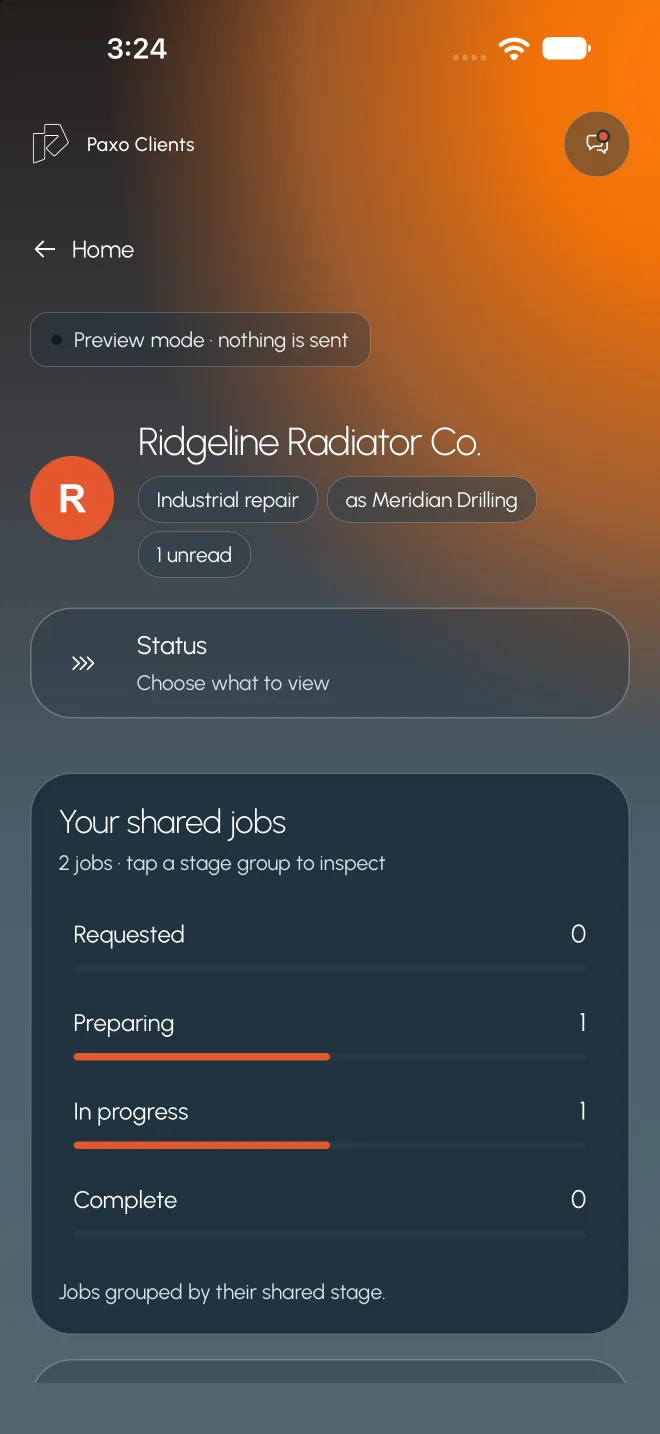
  • Jobs grouped by their shared stage
  • Only what you publish and grant
  • Request a time or send a file when asked
Paxo Clients business page with example records: a fictional client's shared jobs grouped by stage.
Product preview · example recordsShared jobs, grouped by stage

Estimates

Decide on the exact revision

Clients review the issued estimate line by line, then accept with their typed name and consent or decline with a reason. If the estimate changes, they review the new revision.
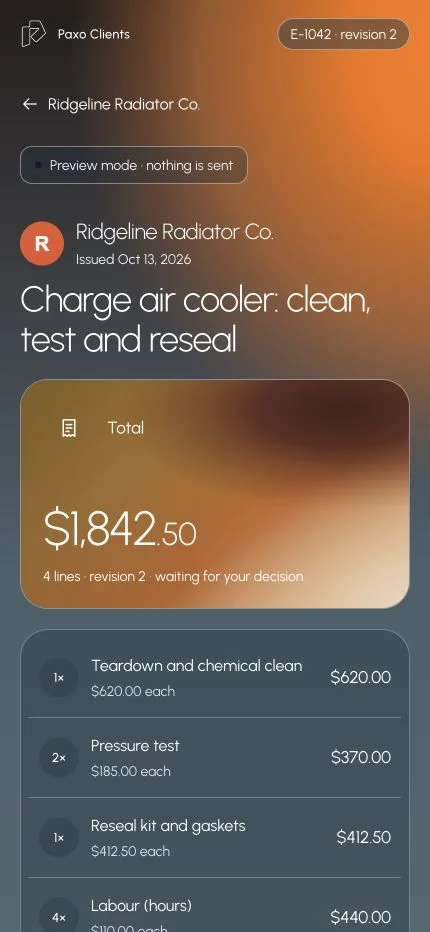
  • Line items, total and revision number
  • Accept with typed name and consent
  • Decline with a reason for your team
Paxo Clients estimate with example data: revision 2 of a fictional repair, line items and a waiting decision.
Product preview · example recordsEstimate revision awaiting a decision

Invoices

Clear balances, paid at the issuer

Shared invoices show the total, payments and credits, balance and due date. Pay securely opens the issuer's own checkout, and the balance changes only when the issuer confirms payment.
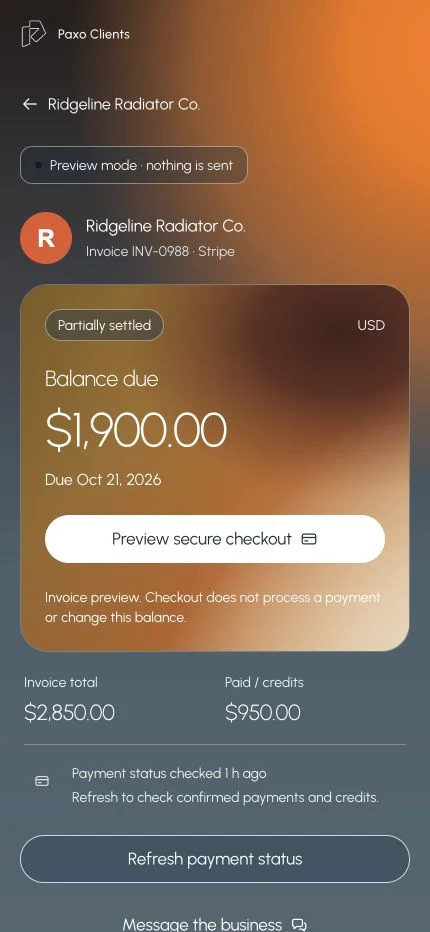
  • Total, paid and balance due
  • Checkout hosted by the invoice issuer
  • Refresh payment status on request
Paxo Clients invoice preview with example data: balance due, secure checkout preview and payment status.
Product preview · example recordsInvoice with balance and payment status

Messages

Talk to the people doing the work

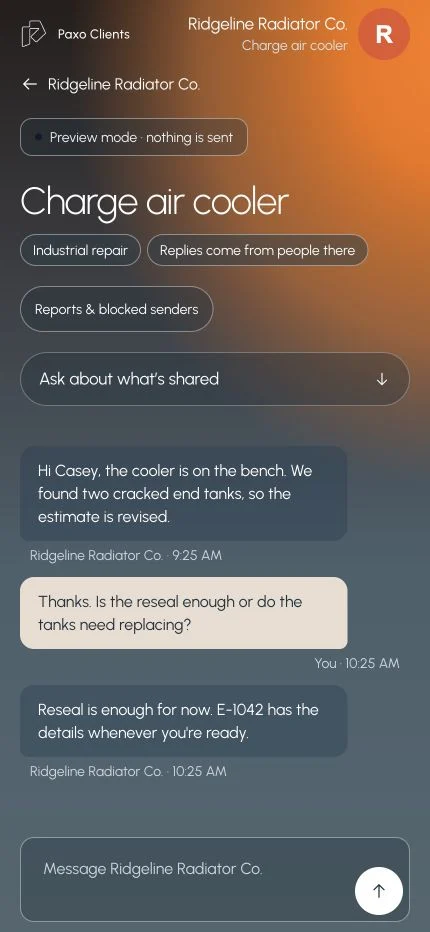
Clients message the business about a job in one thread. Replies come from people at the business, and clients can report or block a sender from any message.
  • Threads tied to the job or estimate
  • Ask about what is shared, answered from it
  • Report or block a sender
Paxo Clients message thread with example messages between a fictional client and a repair business.
Product preview · example recordsMessage thread with the business

Who it helps

Built around the people doing the work.

Client contact

Check progress without calling

Open the app to see where the job stands, what needs a decision and what is owed.

Office manager

Get estimate decisions in writing

Share the estimate in the client app and get a dated accept or decline tied to the revision the client saw.

Owner

Share more as trust grows

Start with job status, then add estimates, invoices or documents for a contact when it makes sense.

What stays in your control

Clear rules, written down.

  • App previews with example data. Mobile availability is being prepared.
  • An email match never connects a client. They join only through an invitation or an approved request.
  • Estimate decisions are recorded consent for one revision, not sealed signatures.
  • Clients can export what they can see, leave a business or delete their account from Profile.

Same work. A clearer tomorrow.

See it with
your own work.