Jobs & schedule

Every job.
One clear path.

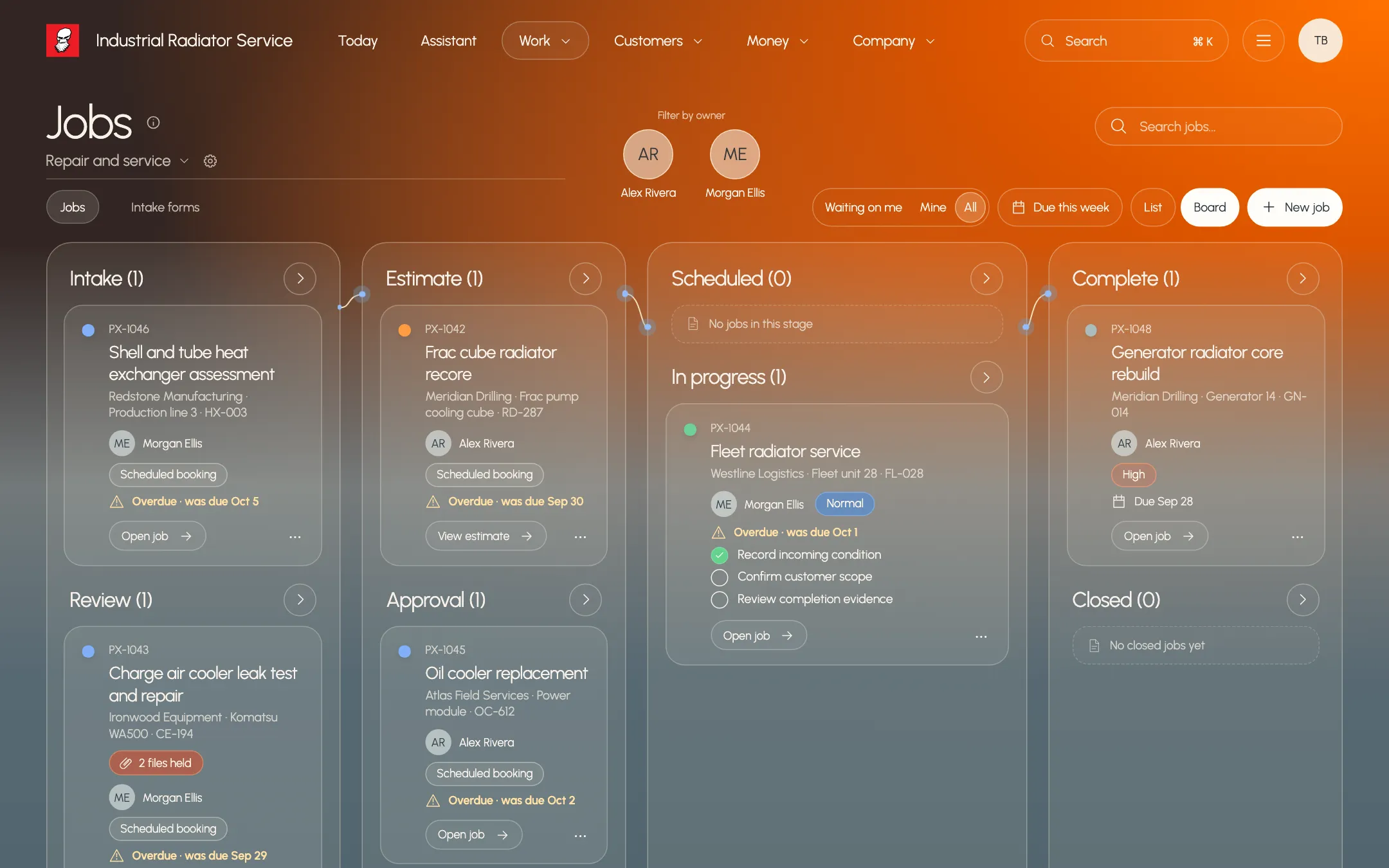
Requests become jobs. Jobs move through the stages your work actually follows. Bookings, files and next steps stay with the job, so your team knows what comes next.

Paxo Jobs board grouping repair jobs by stage, such as PX-1044 Fleet radiator service, with example records
Product preview · example recordsEvery job, grouped by where it stands

Stages with real gates

A job moves forward only when its required steps, estimate or evidence are in place.

No double-booked bays

Paxo refuses a booking that overlaps another booking or blocked time.

Nothing lost in side notes

Steps, files, bookings and the client's next step all stay on the job record.

The job record

Everything about the job, on one page

Open a job to see its stage, steps, estimate, recent bookings and files together. Paxo states the next step in plain words and lists anything still blocking the move to the next stage.
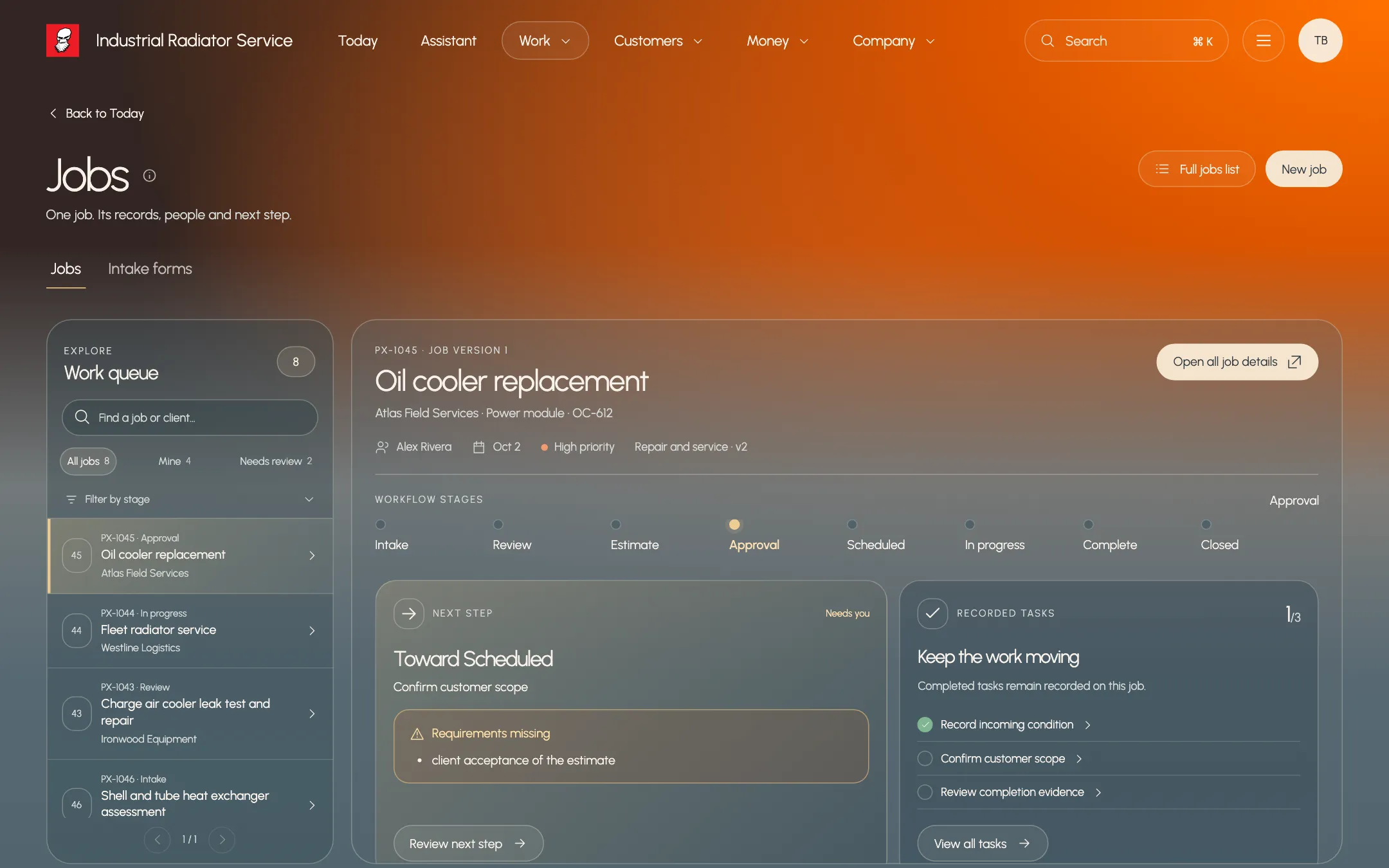
  • Stage track showing what is still needed
  • Steps, notes and files kept on the job
  • Paxo suggestions to approve or decline in place
Paxo job record for PX-1045 Oil cooler replacement with stages, next step and tasks, using example records
Product preview · example recordsOne job: its stage, next step and tasks

Schedule

Book the right time without the back-and-forth

See people and shop bays by day or week. Find time suggests open slots that finish by the due date and fit the work. After you book, Paxo drafts a message for the client that you review and send.
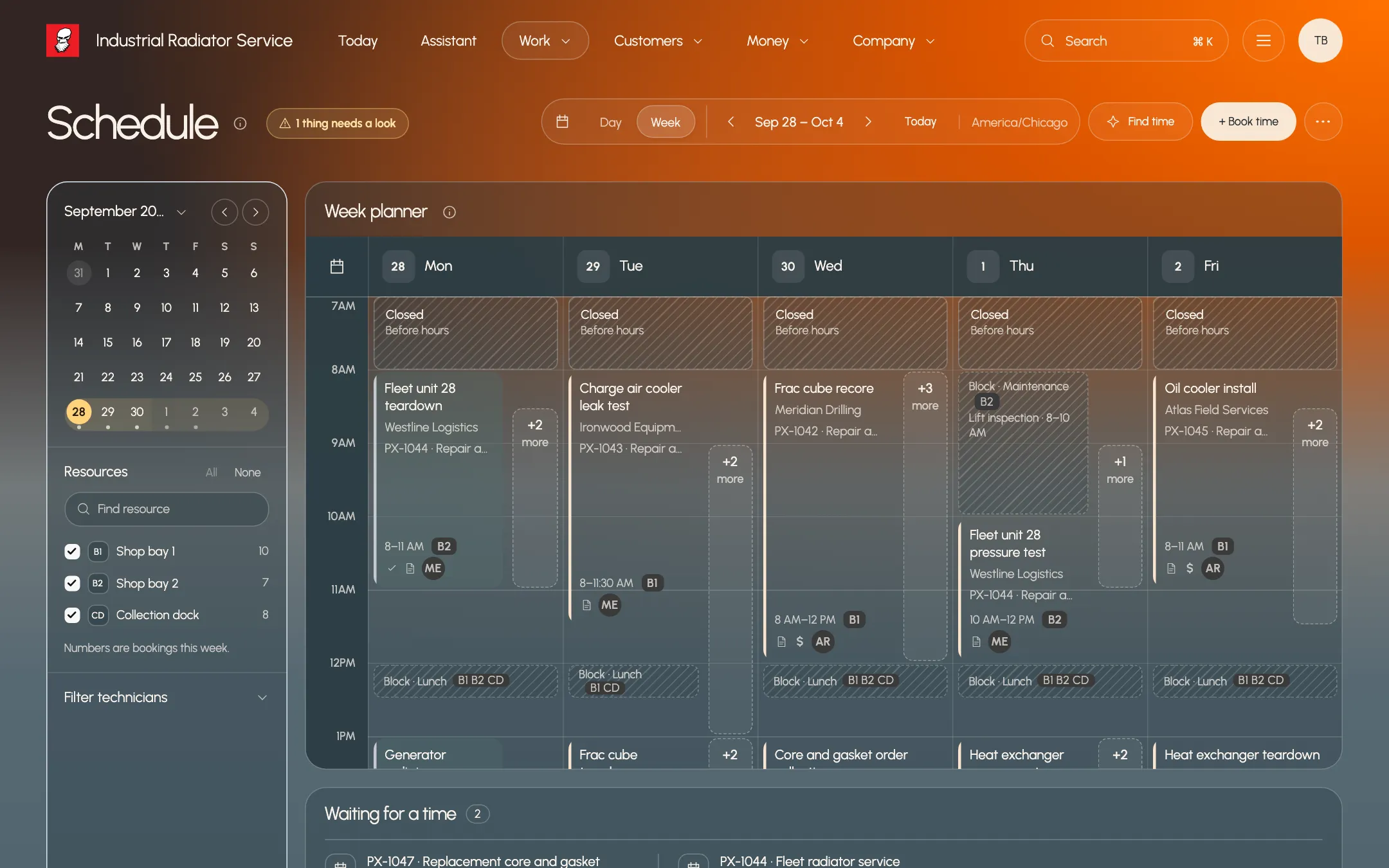
  • Day and week boards for people and bays
  • Find time ranks slots by due date and fit
  • Block time for lunch, maintenance or time off
Paxo Schedule week view with bookings like Frac cube recore across shop bays, using example records
Product preview · example recordsPlan the week across bays and technicians

Who it helps

Built around the people doing the work.

Office manager

Turn a phone request into a booked job

Create the job from the request, pick a slot with Find time and send the client a reviewed message, without retyping anything.

Field technician

See only the work assigned to you

Technicians see their assigned jobs, steps and bookings, and record notes and photos against the job they are on.

Owner

Know what is stuck and why

Every job shows its stage and what is still needed to move on, so a stalled job explains itself.

What stays in your control

Clear rules, written down.

  • A stage move rechecks required steps, evidence and approvals at the moment it is saved.
  • A booking that overlaps another booking or blocked time is refused, never silently moved.
  • Jobs stay on the workflow version they started with. Changing a workflow never rewrites work in progress.
  • Paxo can suggest a stage move or booking. Someone with permission approves it before anything changes.

Same work. A clearer tomorrow.

See it with
your own work.